Fix sshd Broken by Unattended Upgrade on Ubuntu 24.04 (March 2026)
How to fix openssh-server broken after unattended-upgrades on Ubuntu 24.04. Covers the missing /run/sshd directory, half-configured dpkg state, failed ssh.socket, and a full automated fix script.
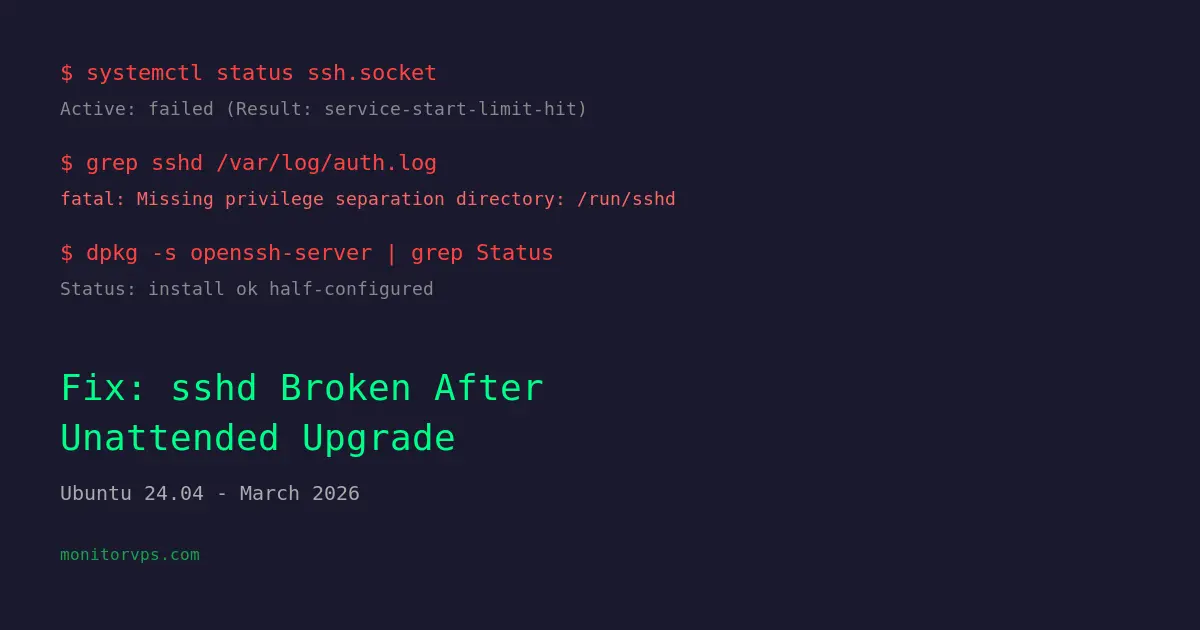
On March 16, 2026, a faulty openssh-server upgrade (1:9.6p1-3ubuntu13.14 to .15) broke SSH on Ubuntu 24.04 servers running unattended-upgrades. The root cause seems to be a missing /run/sshd directory that caused the postinst script to fail, leaving dpkg half-configured and ssh.socket in a failed state. The fix is to recreate the directory, kill the orphaned sshd process, reset systemd, and reconfigure the package.
TL;DR - Quick Fix (run as root)
mkdir -p /run/sshd && chmod 0755 /run/sshd
systemctl reset-failed ssh.socket ssh.service && systemctl start ssh.socket
dpkg --configure openssh-server
If the old sshd process is blocking the port, kill it first: kill $(pgrep -f '/usr/sbin/sshd' | xargs -I{} sh -c 'ps -o ppid= -p {} | tr -d " "' | grep '^1$'). Read on for the full automated script.
What Went Wrong
The openssh-server package upgrade from 1:9.6p1-3ubuntu13.14 to 1:9.6p1-3ubuntu13.15 seems to have shipped with a faulty postinst maintainer script. When unattended-upgrades ran overnight and attempted to configure the new package, the script failed. This left dpkg in a half-configured state, systemd's ssh.socket in a failed state, and the old sshd master process orphaned -- still running, but no longer managed by systemd.
The server stays reachable only as long as that orphaned sshd process keeps running. If it dies or the server reboots, SSH access is lost entirely. In Laravel Forge, affected servers show as "Disconnected" since Forge can no longer reach them over SSH.
How We Diagnosed It
On one of our affected systems, here is what we found when investigating.
dpkg: error processing package openssh-server
Checking the package state:
$ dpkg -s openssh-server | grep Status
Status: install ok half-configured
That confirms the package is stuck mid-upgrade. Looking at what unattended-upgrades did:
$ cat /var/log/unattended-upgrades/unattended-upgrades-dpkg.log
...
Setting up openssh-server (1:9.6p1-3ubuntu13.15) ...
dpkg: error processing package openssh-server (--configure):
 installed openssh-server package post-installation script subprocess returned error exit status 1
ssh.socket: Failed with result 'service-start-limit-hit'
Checking systemd:
$ systemctl status ssh.socket
Active: failed (Result: service-start-limit-hit)

$ journalctl -u ssh.socket
ssh.socket: Failed with result 'service-start-limit-hit'.
Failed to start ssh.socket - OpenBSD Secure Shell server socket.

$ journalctl -u ssh.service
ssh.service: Failed with result 'exit-code'.
Socket activation is completely broken. But we could still SSH in, which meant something was still listening. Checking for the orphaned process:
$ ps -eo pid,ppid,cmd | grep sshd
1234     1  sshd: /usr/sbin/sshd -D [listener] 0 of 10-100 startups
PPID 1 -- that is the old sshd master process, orphaned after systemd lost track of it during the failed upgrade. It is still accepting connections, which is why SSH still works, but it is running on borrowed time.
fatal: Missing privilege separation directory: /run/sshd
The auth.log revealed what appears to be the root cause:
$ grep sshd /var/log/auth.log
2026-03-18T18:20:19.201354+00:00 sshd[3115043]: fatal: Missing privilege separation directory: /run/sshd
The runtime directory was indeed missing:
$ ls -la /run/sshd
ls: cannot access '/run/sshd': No such file or directory
This missing directory appears to be what caused the postinst script to fail, since sshd needs it for privilege separation.
We also found a crash report:
$ ls /var/crash/
openssh-server.0.crash
Errors You Will See
Depending on where you look, you may encounter some or all of these:
In dpkg / apt output
dpkg: error processing package openssh-server (--configure):
 installed openssh-server package post-installation script subprocess returned error exit status 1
Errors were encountered while processing:
 openssh-server
E: Sub-process /usr/bin/dpkg returned an error code (1)
When running apt upgrade or apt install
You might want to run 'apt --fix-broken install' to correct these.
The following packages have unmet dependencies:
 openssh-server : Depends: openssh-sftp-server but it is not going to be installed
Package state
Status: install ok half-configuredSystemd errors
ssh.socket: Failed with result 'service-start-limit-hit'.
ssh.service: Failed with result 'exit-code'.
Auth log
sshd[3115043]: fatal: Missing privilege separation directory: /run/sshdHow to Fix It
We wrote a script that automates the entire fix. It is safe to run on servers that are NOT affected -- it detects the broken state first and exits cleanly if everything is fine. This makes it easy to run across all your servers without worrying about which ones are actually broken.
The script:
- Reads your SSH port from sshd_config (does not assume port 22)
- Detects if the server is affected (broken dpkg state and/or failed ssh.socket)
- Creates
/run/sshdif missing - Finds and kills the orphaned sshd master process
- Waits for the port to free up
- Resets and starts
ssh.socket - Runs
dpkg --configureto fix the package state - Verifies everything is working
- Cleans up the crash file
Here is the full script:
#!/usr/bin/env bash
set -euo pipefail

# Fix broken openssh-server upgrade on Ubuntu 24.04
# Safe to run on unaffected servers -- exits cleanly.

if [[ $EUID -ne 0 ]]; then
    echo "ERROR: Must run as root." >&2
    exit 1
fi

echo "=== openssh-server upgrade fix ==="

# -- 0. Determine SSH port from sshd_config --
SSH_PORT=22
if [[ -f /etc/ssh/sshd_config ]]; then
    configured_port=$(grep -Ei '^\s*Port\s+' /etc/ssh/sshd_config | awk '{print $2}' | tail -1)
    if [[ -n "${configured_port:-}" ]]; then
        SSH_PORT="$configured_port"
    fi
fi
echo "[*] Using SSH port: $SSH_PORT"

# -- 1. Detect if affected --
broken_dpkg=false
failed_socket=false

if dpkg -s openssh-server 2>/dev/null | grep -qE 'Status:.*(half-configured|half-installed|unpacked|triggers-awaited|triggers-pending)'; then
    broken_dpkg=true
    echo "[!] openssh-server dpkg state is broken."
fi

if systemctl is-failed --quiet ssh.socket 2>/dev/null; then
    failed_socket=true
    echo "[!] ssh.socket is in failed state."
fi

if ! $broken_dpkg && ! $failed_socket; then
    echo "[OK] Server is not affected. openssh-server package and ssh.socket are healthy."
    exit 0
fi

echo ""
echo "Server is affected. Proceeding with fix..."
echo ""

# -- 2. Create /run/sshd if missing --
if [[ ! -d /run/sshd ]]; then
    echo "[*] Creating /run/sshd ..."
    mkdir -p /run/sshd
    chmod 0755 /run/sshd
else
    echo "[OK] /run/sshd already exists."
fi

# -- 3. Kill orphaned sshd master process --
orphan_pids=()
while IFS= read -r pid; do
    [[ -z "$pid" ]] && continue
    ppid=$(ps -o ppid= -p "$pid" 2>/dev/null | tr -d ' ') || continue
    if [[ "$ppid" == "1" ]]; then
        orphan_pids+=("$pid")
    fi
done < <(pgrep -f '/usr/sbin/sshd' 2>/dev/null || true)

if [[ ${#orphan_pids[@]} -gt 0 ]]; then
    echo "[*] Found orphaned sshd master process(es): ${orphan_pids[*]}"
    for pid in "${orphan_pids[@]}"; do
        echo "    Killing PID $pid ..."
        kill "$pid" 2>/dev/null || true
    done
else
    echo "[OK] No orphaned sshd master processes found."
fi

# -- 4. Wait for port to free --
echo "[*] Waiting for port $SSH_PORT to free ..."
for i in $(seq 1 30); do
    if ! ss -tlnp | grep -q ":${SSH_PORT} "; then
        echo "    Port $SSH_PORT is free."
        break
    fi
    if [[ $i -eq 30 ]]; then
        echo "WARNING: Port $SSH_PORT still in use after 30s. Continuing anyway."
    fi
    sleep 1
done

# -- 5. Reset and start ssh.socket --
echo "[*] Resetting ssh.socket ..."
systemctl reset-failed ssh.socket 2>/dev/null || true
systemctl reset-failed ssh.service 2>/dev/null || true

echo "[*] Starting ssh.socket ..."
systemctl start ssh.socket

# -- 6. Fix dpkg state --
if $broken_dpkg; then
    echo "[*] Running dpkg --configure openssh-server ..."
    dpkg --configure openssh-server
fi

# -- 7. Verify --
echo ""
echo "=== Verification ==="

errors=0

if systemctl is-active --quiet ssh.socket; then
    echo "[OK] ssh.socket is active."
else
    echo "[FAIL] ssh.socket is NOT active."
    errors=$((errors + 1))
fi

if ss -tlnp | grep -q ":${SSH_PORT} "; then
    echo "[OK] Port $SSH_PORT is listening."
else
    echo "[FAIL] Port $SSH_PORT is NOT listening."
    errors=$((errors + 1))
fi

status=$(dpkg -s openssh-server 2>/dev/null | grep '^Status:' || echo "not found")
if echo "$status" | grep -q 'install ok installed'; then
    echo "[OK] dpkg state is clean: $status"
else
    echo "[FAIL] dpkg state is not clean: $status"
    errors=$((errors + 1))
fi

# -- 8. Clean up crash file --
if [[ -f /var/crash/openssh-server.0.crash ]]; then
    echo "[*] Removing /var/crash/openssh-server.0.crash ..."
    rm -f /var/crash/openssh-server.0.crash
fi

echo ""
if [[ $errors -eq 0 ]]; then
    echo "=== All checks passed. Server is fixed. ==="
else
    echo "=== $errors check(s) failed. Manual investigation needed. ==="
    exit 1
fi
To run it on a single server:
sudo bash fix-openssh-upgrade.shTo push it across multiple servers:
for server in server1 server2 server3; do
    echo "--- $server ---"
    ssh root@$server 'bash -s' < fix-openssh-upgrade.sh
done
Preventing This in the Future
If you want to prevent unattended-upgrades from touching openssh-server in the future, you can blacklist it. Edit /etc/apt/apt.conf.d/50unattended-upgrades and add to the Package-Blacklist section:
Unattended-Upgrade::Package-Blacklist {
    "openssh-server";
};
This ensures SSH-related packages only get upgraded when you do it manually and can monitor the process.
If You Are Completely Locked Out
If the orphaned sshd process has already died or the server has rebooted, you will not be able to SSH in. In that case, use your hosting provider's console access to run the fix:
- DigitalOcean: Droplet Console (web-based)
- AWS: EC2 Serial Console or Session Manager
- Hetzner: VNC console in the Cloud Console
- Any provider: VNC or KVM access from your control panel
Summary
The March 16, 2026 openssh-server upgrade on Ubuntu 24.04 broke SSH on servers running unattended-upgrades. The symptoms are a half-configured dpkg state, a failed ssh.socket, a "fatal: Missing privilege separation directory: /run/sshd" error in auth.log, an orphaned sshd process, and servers showing as "Disconnected" in Laravel Forge. The fix involves recreating /run/sshd, killing the orphaned process, resetting systemd units, and reconfiguring the package. The script above automates the entire process and is safe to run on unaffected servers.